Ascension Protocol
Intense spatial VR experience built with a custom C++ OpenXR engine. Face enemy swarms from all directions, where failure causes the ground to crumble while success leads to ascension.
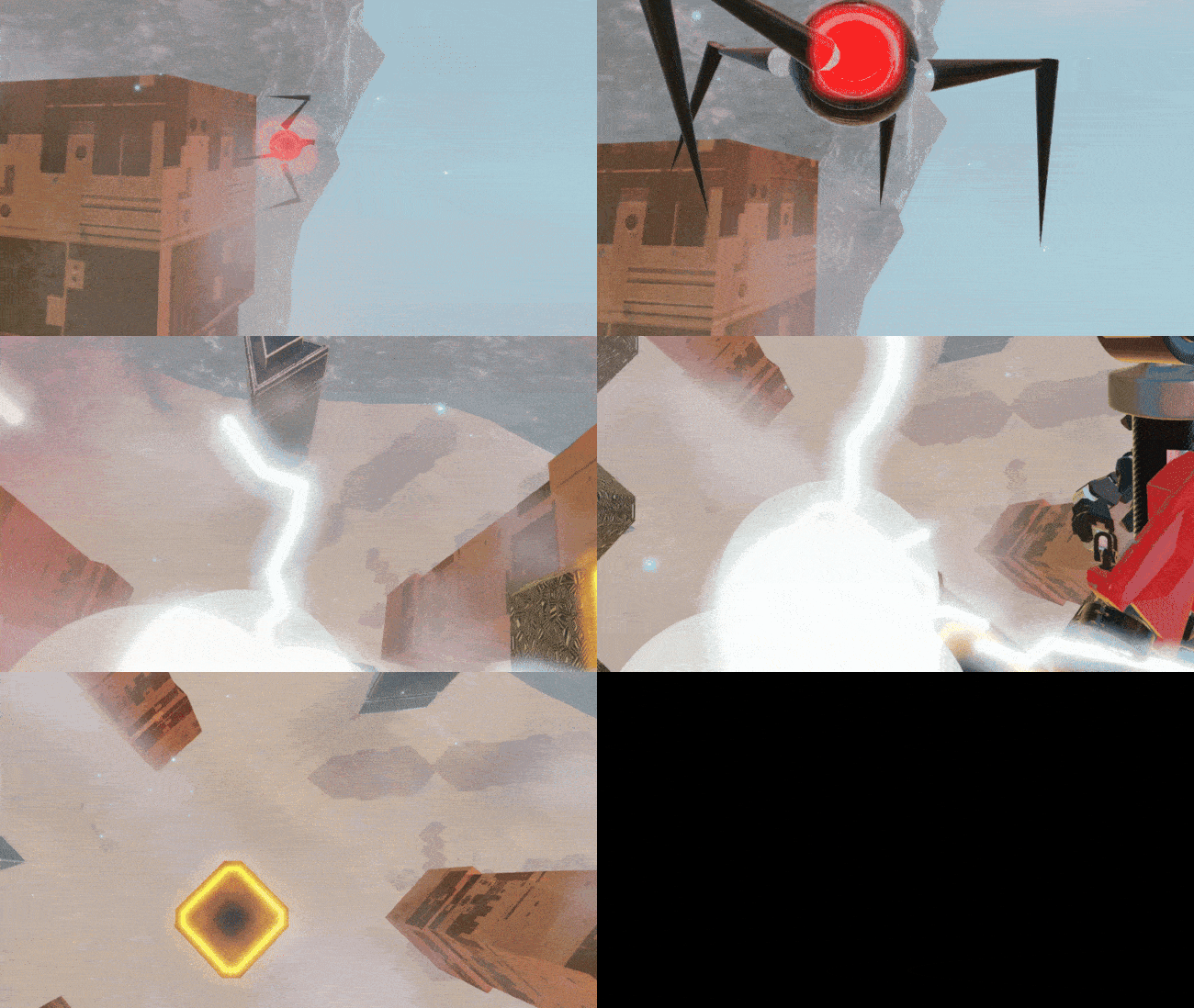
Overview
In the end they have reached the core. You represent our final struggle. Push against endless and overwhelming odds. Overcome your limits, your fears and ascend.
A VR experience pushing the boundaries of your spatial awareness by pitting you against swarms of enemies from all sides. Deflect, Dodge and Defend what is yours - if you fail, the very ground you stand upon will crumble as it leaves you with less and less. If you succeed, ascend a step further towards salvation.
This game was entirely created with the Mantis Engine, our custom C++ VR engine using OpenXR.
My contributions
Programming Lead
As programming lead, I guided both technical development and team coordination across the 8-week project cycle.
- Facilitated key meetings: Led concepting, sprint planning, reviews and retrospectives with a structured approach.
- Stakeholder communication: Communicated progress to external stakeholders through regular update presentations.
- Conflict resolution: Addressed team communication issues through direct conversations and mediation.
- Coordination & scope: Managed programming team workload and cross-discipline collaboration.
OpenXR Implementation
I built upon my OpenXR implementation from the previous project.
Session Handling
Previously we were not handling any changes to the VR session. This meant that you could not close, pause, or re-connect to the application (e.g. if the cable got loose) from the headset.
This worked for a while as we were just starting & stopping the game through Visual Studio, but obviously doesn’t work when we ship to external users.
To fix this I query the relevant system events through the OpenXR API. The user can then set a callback for their specific engine.
For re-connecting after the session is lost, I destroy all session related objects and query for a new SystemID on a reasonable interval. When the user re-connects I re-create all of the relevant objects (e.g. swapchains).
OpenXR Session Management - Pausing & Quitting
1
2
3
4
5
6
7
8
9
10
11
12
13
14
15
16
if (m_lostConnectionToHMD)
{
    if (m_sessionRunning)
    {
        DestroySessionObjects();
        m_sessionRunning = false;
    }

    auto now = std::chrono::steady_clock::now();
    if (now - m_lastConnectionAttemptTime > CONNECTION_ATTEMPT_INTERVAL)
    {
        m_lastConnectionAttemptTime = now;

        TryReestablishSession();
    }
}
Blit VR view to PC screen
Since the VR panel resolution and PC window resolution do not match, this can lead to weird results where the image is stretched and scaled. This makes it hard to see what is going on, especially at playtests where you’d like to see what the player is seeing.
To fix this, I implemented resolution-aware scaling of the frame buffer to the screen
1
2
3
4
5
6
7
8
9
10
11
12
13
14
15
16
17
18
19
20
21
22
23
24
25
26
27
28
29
30
31
32
33
34
35
36
37
38
const int screenWidth = Engine.Device().GetWidth();
const int screenHeight = Engine.Device().GetHeight();
const float srcAspect = static_cast<float>(m_width) / m_height;
const float dstAspect = static_cast<float>(screenWidth) / screenHeight;

int dstX0, dstY0, dstX1, dstY1;

if (dstAspect > srcAspect)
{
    // Screen is wider than render target
    int newWidth = static_cast<int>(screenHeight * srcAspect);
    dstX0 = (screenWidth - newWidth) / 2;
    dstY0 = 0;
    dstX1 = dstX0 + newWidth;
    dstY1 = screenHeight;
}
else
{
    // Screen is taller than render target
    int newHeight = static_cast<int>(screenWidth / srcAspect);
    dstX0 = 0;
    dstY0 = (screenHeight - newHeight) / 2;
    dstX1 = screenWidth;
    dstY1 = dstY0 + newHeight;
}

// Clear the screen to prevent artifacts
glBindFramebuffer(GL_FRAMEBUFFER, 0);
glViewport(0, 0, screenWidth, screenHeight);
glClearColor(0.0f, 0.0f, 0.0f, 1.0f);
glClear(GL_COLOR_BUFFER_BIT);

// Blit framebuffer to the screen
glBindFramebuffer(GL_READ_FRAMEBUFFER, m_finalFramebuffer);
glBindFramebuffer(GL_DRAW_FRAMEBUFFER, 0);
glReadBuffer(GL_COLOR_ATTACHMENT0);
glDrawBuffer(GL_BACK);
glBlitFramebuffer(0, 0, m_width, m_height, dstX0, dstY0, dstX1, dstY1, GL_COLOR_BUFFER_BIT, GL_NEAREST);
In-engine editor
I extended our ImGui-based in-engine editor with dockable panels, scene serialization and instantiating from the asset browser.
Managing editor panels, serializing scene with OS dialog
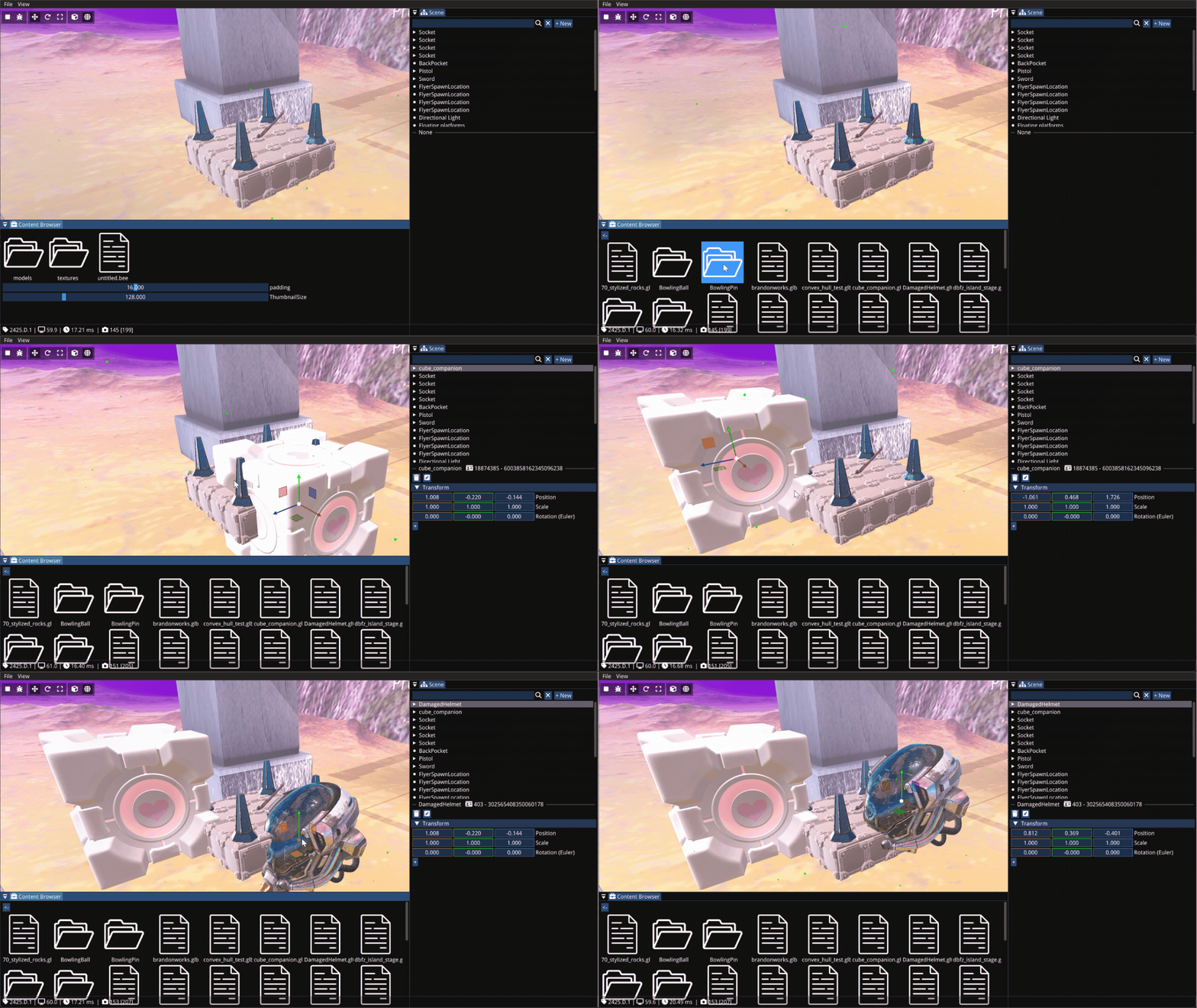 Instantiating asset from the asset browser
CI/CD - GitHub Actions & Perforce
To critically check mine and my team’s work before integration, I set up and updated our GitHub Actions pipeline to perform build checks and C++ linting. 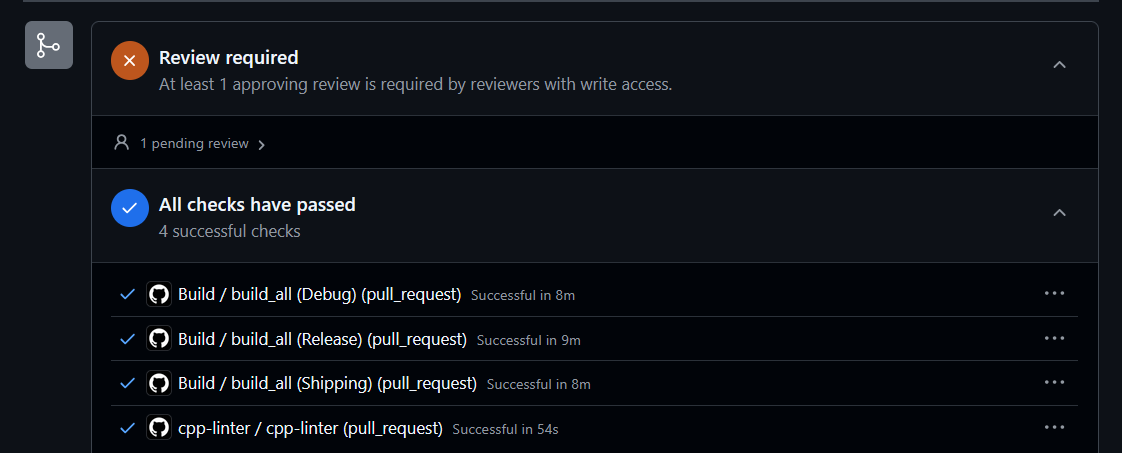 GitHub Actions checks on a Pull Request
I also worked on the Jenkins Pipeline to set up MSBuild & Perforce integrations. 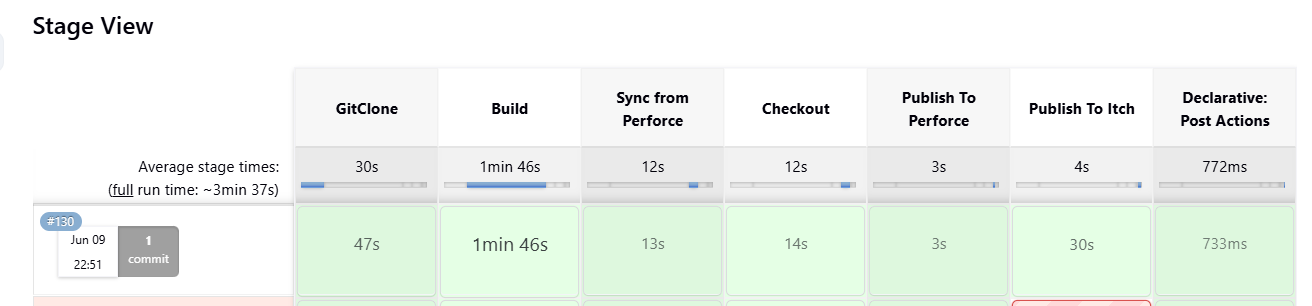 Jenkins build pipeline
Gameplay & Navigation
I also helped in implementing various gameplay features throughout the project. Here are some highlights:
Gem Pull, Highlight & Navigation
I further refined the gem interactions to have a consistent highlight when in aim, and iterated on the force pull mechanic to make it more satisfying and predictable.
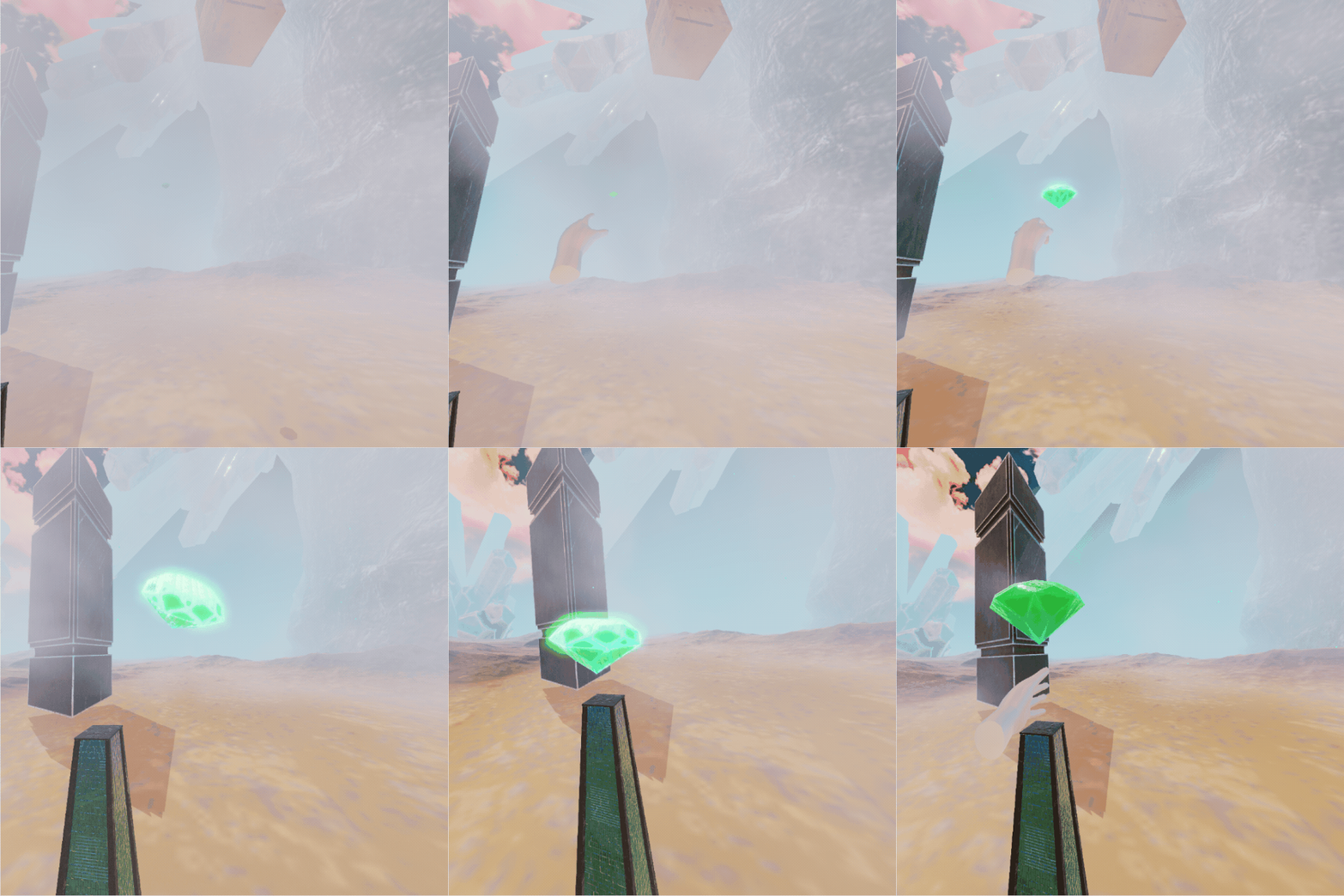 Highlight & Force-pull gem
After implementing the gems, we found it could also function as a convenient in-world menu navigation tool.
I implemented a simple navigation system to easily place navigation gems, and call events when they are grabbed. I also iterated on the UI text to add text alignment for the menus.
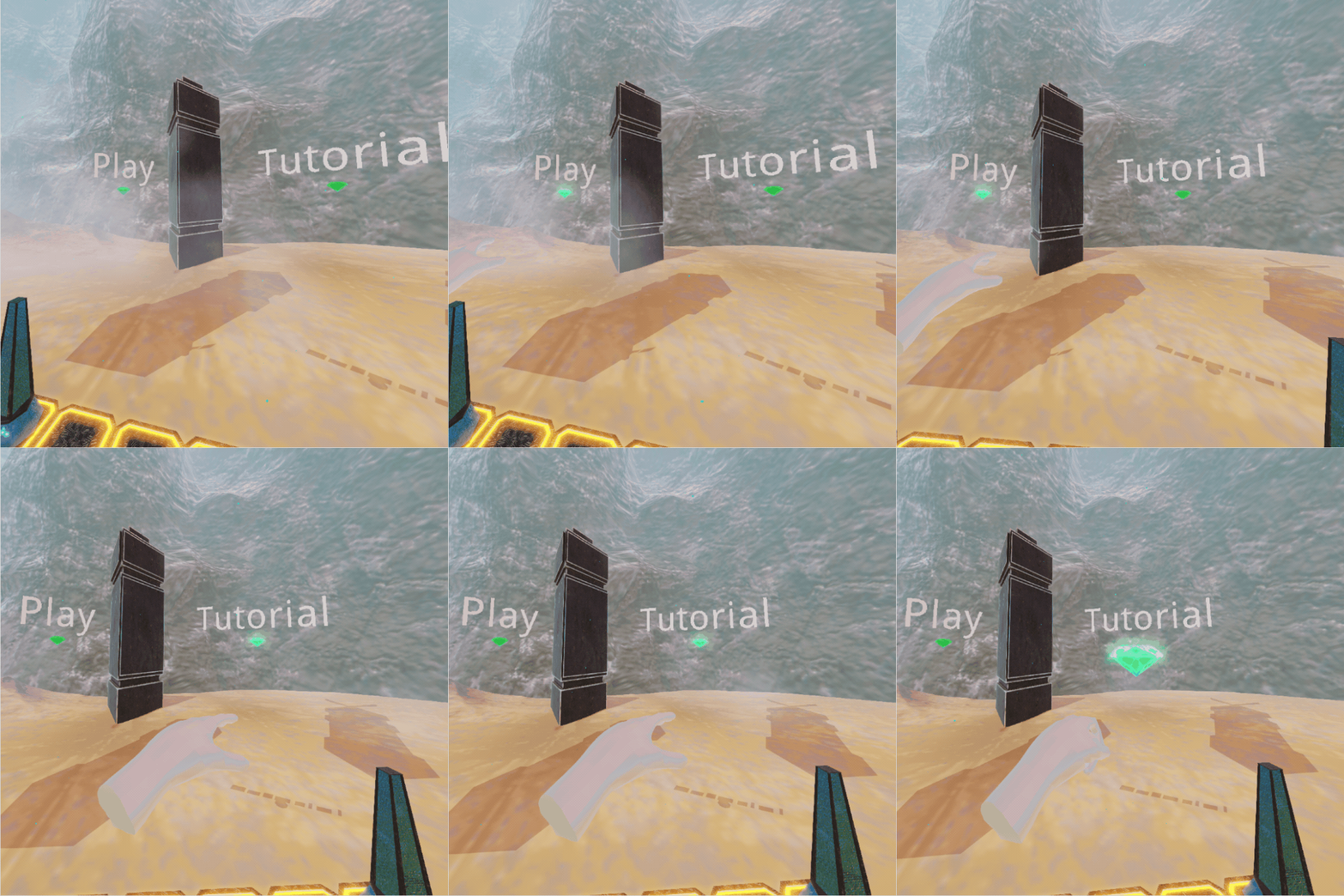 Navigation gems & UI
UI Animation Widget
For the onboarding we were struggling to show players how to perform certain actions.
After we implemented the UI Image Widget, I considered if we could chain many of these images to play a simple animation/video. I later implemented by changing the texture over a pre-loaded list of frames.
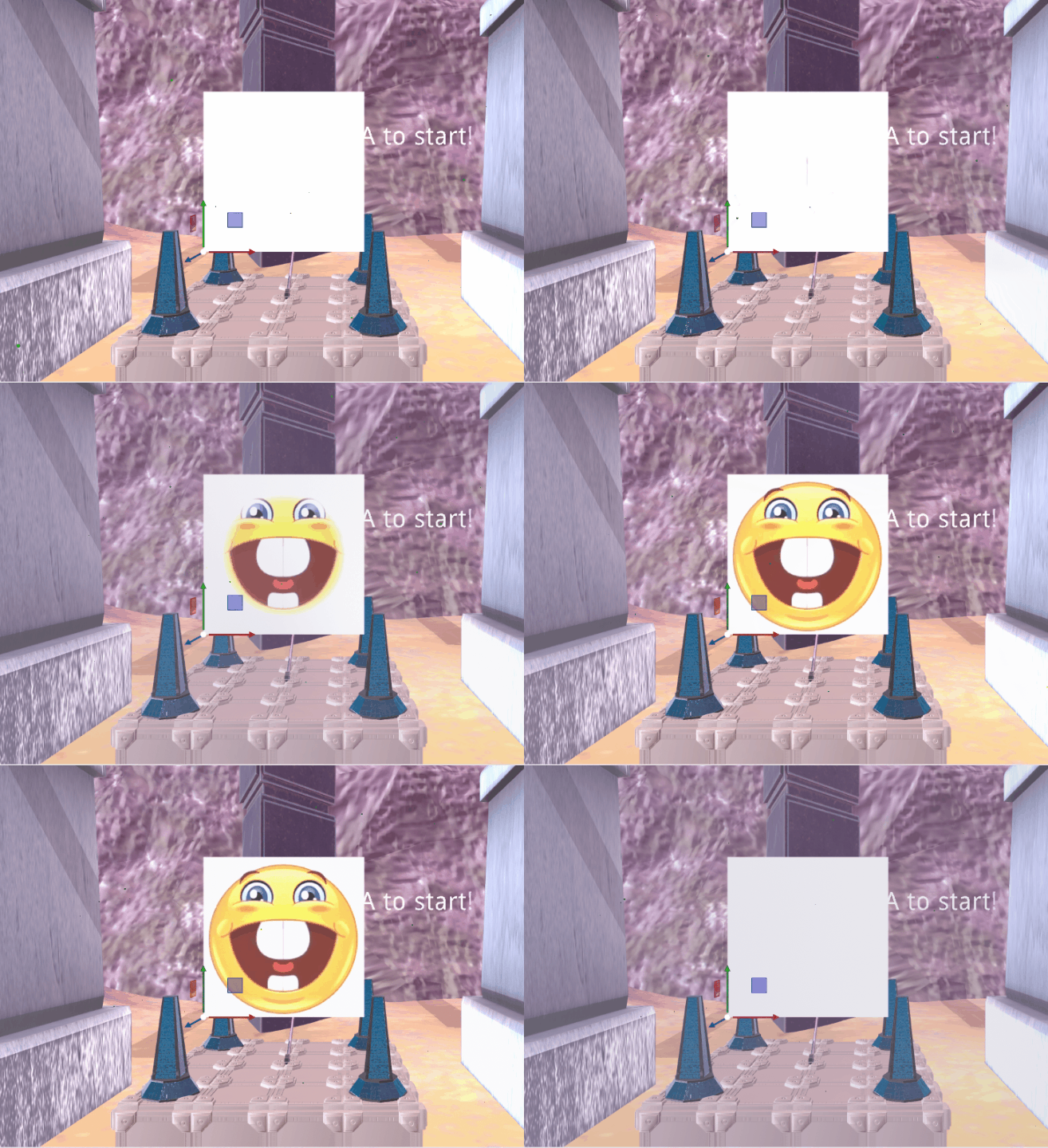 UI Animation Widget cycling through images
What I Learned
Programming Leadership & Team Management: Leading an 8-person PR team in a 14-person multi-disciplinary team taught me a lot about technical oversight and managing people. I learned to manage scope, project priorities and clear team communication. Balancing this Lead work together with my regular development work was quite a challenge - I would often try to do both 100% which is not possible. Learning to effectively plan and delegate the work instead proved successful.
Multi-disciplinary collaboration in custom engine: Working together with artists & designers in a custom engine showed the importance of robust tooling and pipelines. I learned to communicate effectively on the needs of other disciplines to figure out their needs and our technical capability.